
Is this page correct?
Not checked in the game yet. Played it recently? Is this page correct? Sign in to vote
Your shelter grows in a loop: furniture to the cap, then upgrade the building, then repeat. No regular building can go past your Lighthouse level, so the Lighthouse sets the pace.
The Confirmed in game parts come from story mode (Android 1.8.0). The late-game buildings (Alliance Hall, Research Lab, troop camps) are still researched only.
This page maps the shelter buildings, what each one does, and the order to upgrade them.
Buildings seen in game#
We built and opened every building below in the tutorial (chapters 1–4). When a lot is full of wreckage, the game calls the task "Rebuild" plus the building name.
| Icon | Building | In-game name | Job (game text) | Build | Lv.1→2 | Highest level seen | Chapter |
|---|---|---|---|---|---|---|---|
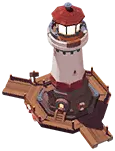 |
Lighthouse | Campfire → Lighthouse | Central building: Safe Zone, Power, light radius | — | 300 wood, 2 s | 6 (max 30) | 1 |
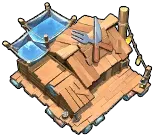 |
Kitchen | Kitchen | "cook delicious food with ingredients, boosting morale and productivity". Fish → meals (health). | 35 | 50, 8 s | 2 | 1 |
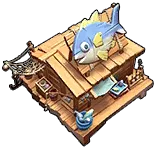 |
Fisherman's Hut | Fisherman's Hut | "Catch fish for food" → Food | 30 | 45, 3 s | 2 | 1 |
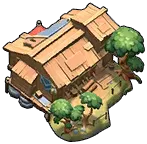 |
Lumber Mill | Lumber Mill | "Gather wood" → Wood | 30 | 45, 3 s | 5 | 1 |
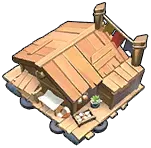 |
Dorm 1 | Dorm 1 | "A resting place at night" → resident capacity | 20 | 35, 5 s | 2 | 2 |
|
Dorm 2 | Dorm 2 | Same | 20 | — | 1 | 3 |
|
Dorm 3, 4, and 5 | Dorm 3–5 | Same (+2, +2, +1 capacity) | 20 each | — | 1 | After Lighthouse Lv.4 |
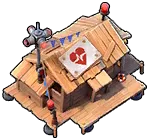 |
Infirmary | Infirmary | "Sick residents are treated here" | 35 | — | 1 | 3 |
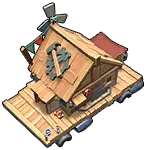 |
Tool Shed | Tool Shed | Tools and "gadgets from the Old World" | 35 | — | 1 | 3 |
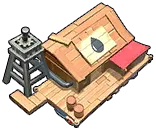 |
Oil Plant | Oil Plant | "Extract oil" → Oil | 30 | 45, 3 s | 4 | 3 |
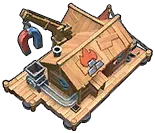 |
Iron Foundry | Iron Foundry | "Smelt metal" → Iron | 30 | 45, 3 s | 4 | 4 |
Costs are in Wood. Two things aren't lot buildings. One is the shark net, repaired with the hammer (see Shark Tide). The other is empty lots, marked with a blue +.
Shelter building gallery#
Icons taken from the game files (researched). We matched the tutorial ones by their art: a cross is the Infirmary, a fish is the Hut, and so on.
? means a likely match. The full list is in Building list.
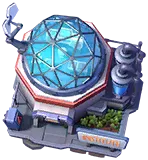
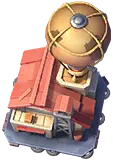
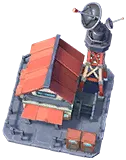
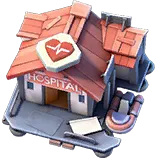
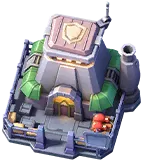
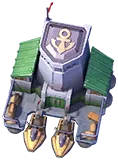
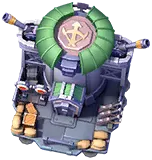
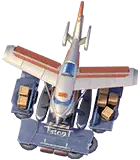
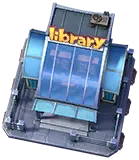

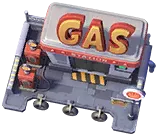
How a building works#
- Lot: a blue marker with corner brackets and a
+. Tap it to open a panel with Building Details (description), Cost, and the Build button. - Level: a wooden sign with the number over the building. A green up arrow on the sign means an upgrade is ready.
- Building panel: the title
Name Lv.N, an Upgrade button in the header, and a % bar (how complete the furniture is). It has the Furniture and residents tabs (taken/slots). - Upgrade stats (Stat Upgrade Preview): regular buildings show Durability and Power. The Lighthouse shows Safe Zone and Power.
| Building | Durability | Power |
|---|---|---|
| Production (Fisherman's Hut, Lumber Mill, Oil Plant, Iron Foundry) Lv.1→2 | 405 + 5 | 40 + 36 |
| Production Lv.2→3 / 3→4 / 4→5 (Iron Foundry, Lumber Mill) | 410 + 5 / 415 + 5 / 420 + 5 | 76 + 54 / 130 + 72 / 202 + 108 |
| Kitchen Lv.1→2 | 450 + 50 | 100 + 90 |
| Dorm 1 Lv.1→2 | 450 + 50 | 100 + 14 |
| Lighthouse (Safe Zone instead of Durability) Lv.1→2 … 5→6 | Safe Zone 1.0→1.5→2.0→2.5→3.0→3.5 | 2,000→3,800→6,500→10,100→15,500→23,600 |
- The
!button on a building panel shows the Power table by level. On the Lighthouse, it covers levels 1 to 30 (see Lighthouse#Power by level (1–30)). - Each build or upgrade adds Power to your account. A
Power +40pop-up showed when we built the Iron Foundry. - Time: tutorial buildings finish right away. Upgrades took 2 s to 3 min (Campfire Lv.3→4:
00:03:00). A build in progress shows a bar with a hammer and the time over the building.
Furniture and the cap rule#
Production and housing buildings are made of furniture. Each piece has its own level, a wood cost, a Time (cycle), and either a Produce value or stats (health, mood).
| Furniture | Building | Time (Lv.1) | Effect (Lv.1) |
|---|---|---|---|
 Fishing Tool |
Fisherman's Hut | 180 | Produce 180 (food) |
 Workbench |
Lumber Mill | 5 | Produce 5 (wood) |
 Drilling Rig |
Oil Plant | 20 | Produce 5 (oil) |
 Forge Table |
Iron Foundry | 40 | Produce 2 (iron) |
 Furnace (costs Gold; no resident; passive) |
Iron Foundry (Lv.4) | — | Produce 0.4 (iron) |
 Polisher (gold; passive) |
Lumber Mill (Lv.4) | — | Produce 0.8 (wood) |
 Tool Rack (gold; passive) |
Lumber Mill (Lv.5) | — | Produce 0.8 (wood) |
 Cooking Table |
Kitchen | 10 (− 0.7) | 1 meal; uses 1 fish; health 30 |
 Bed |
Dorm | 60 | Health 17.5 |
 Sofa |
Dorm | 6 (− 0.1 per level) | Mood 10.5 |
Furniture costs 5 to build, then 10, 15, 25, 40, 60, and 100 for levels 2 to 7. We saw the Drilling Rig up to level 5 and the Forge Table up to level 7. The exception is the Furnace: it costs gold (5 to build, 10 for level 2).
Furniture level is capped by the building level: 2 furniture levels per building level.
- Building Lv.1: furniture up to 2.
- Lv.2: up to 4.
- Lv.3: up to 6.
- Lv.4: up to 8.
- Lv.5: up to 10.
When all furniture hits the cap, the % bar disappears (100%) and the furniture button turns gray. The building's Upgrade button then shows in the header, with a green arrow on the sign.
Each building level can open new furniture slots and new resident slots:
- Oil Plant Lv.2: a 2nd Drilling Rig and 2 slots.
- Iron Foundry Lv.2: a 2nd Forge Table. Lv.3: nothing new.
- Iron Foundry Lv.4: a 3rd Forge Table, the Furnace, and 3 slots.
The upgrade loop: furniture to the cap → building Upgrade → new slots and a higher cap → repeat.
Special gold furniture#
At Lv.4, every production building opens a 3rd regular piece and a special piece paid in Gold. It's passive (no Time) and takes no resident. That's the Furnace in the Iron Foundry and the Polisher in the Lumber Mill.
At Lv.5, the Lumber Mill opened a 2nd special piece (Tool Rack, 5th slot). In the Oil Plant, the special piece was reported as Valve (not confirmed).
Gold only comes from Adventure Combat (outside of purchases). See Gold. That's why special pieces level up slowly: our Polisher stopped at level 3 for lack of gold.
- Building the first piece of furniture opens a resident slot (Fisherman's Hut:
0/0 → 0/1). - When a task is done inside the panel, the main button turns into Continue and jumps to the next task.
Order we saw in the tutorial#
- Campfire Lv.1 (campfire → wooden lighthouse)
- Kitchen
- Fisherman's Hut + Fishing Tool Lv.2 + 1 resident
- Lumber Mill + 1 resident
- Campfire Lv.2 (end of chapter 1)
- Dorm 1, beds and sofa Lv.2, Dorm 1 Lv.2
- Workbench Lv.2, Lumber Mill Lv.2, Fisherman's Hut Lv.2
- Campfire Lv.3 (end of chapter 2)
- Dorm 2, Infirmary, Tool Shed, and the shark net repair
- Oil Plant → Lv.3, with 2 Drilling Rigs at the cap and 2 residents
- Campfire Lv.4 → Lighthouse, the first cost in oil (end of chapter 3)
- Iron Foundry (chapter 4)
- Iron Foundry Lv.2 → Lv.4, with Forge Tables at the cap and the Furnace (gold). This meets the Lighthouse Lv.5 requirement.
- Dorm 3, 4, and 5 (20 wood each)
- Lumber Mill Lv.2 → Lv.4 (Workbenches at level 8 + Polisher)
- Lighthouse Lv.5 (10 min, with speedups)
- Lumber Mill Lv.5 (Workbenches at level 10 + Tool Rack), the Lighthouse Lv.6 requirement
- Lighthouse Lv.6 (15 min, with speedups)
- Oil Plant Lv.4 and Kitchen Lv.2 through the construction queue
Building requirements#
Some upgrades need another building at a set level, on top of the resources. A missing requirement shows as a red line with an X and a Go button, and the Upgrade button stays gray. Once you meet it, the requirement disappears from the list.
| Upgrade | Building needed | Resources | Time |
|---|---|---|---|
| Lighthouse Lv.4 → 5 | Iron Foundry Lv.4 | 7.6K wood, 1.5K oil, 800 iron | 00:10:00 |
| Lumber Mill Lv.4 → 5 | Lighthouse Lv.5 | 1.9K wood, 380 oil | 00:01:00 |
| Lighthouse Lv.5 → 6 | Lumber Mill Lv.5 | 19K wood, 3.8K oil, 960 iron | 00:15:00 |
Regular buildings can't go past the Lighthouse level. The Lumber Mill Lv.5 needed Lighthouse Lv.5. You climb in steps: production → Lighthouse → production.
Builds: Upgrade, Finish Now, and Speed Up#
Button layout#
In the upgrade panel, when Finish Now is offered, the buttons sit side by side. Finish Now (rubies) is on the left and Upgrade (timer) is on the right. Without it, Upgrade sits in the center.
Finish Now cost#
| Situation | Time left | Rubies |
|---|---|---|
| Campfire Lv.3→4, in progress | About 2 min (00:01:59) |
26 |
| Lighthouse Lv.4→5, in progress | 00:09:32 |
127 |
| Kitchen Lv.1→2 (before starting) | 8 s | 1 |
| Lumber Mill Lv.4→5 (before starting) | 1 min | 13 |
| Lighthouse Lv.5→6 (before starting) | 15 min | 206 / 200 |
| Lighthouse Lv.5→6, in progress | 00:14:52 |
198 |
Rule of thumb: about 13 rubies per minute. Finish Now shows up before you start (instant build) and during the build (tap the bar). See Rubies.
Speed Up (speedups)#
- Tap the build bar over the building. The panel shows
Finish Now(left),Speed Up(right), and a red −. The red button cancels the build, so never tap it. - Speed Up opens Select Speedup Items with the Speedups in your backpack (construction 1M, construction 5M, general 1M). It has a −/+ slider and the Speedup Duration. Use applies them.
- The game pre-selects a mix that doesn't go past the time left. It picked 5M ×2 for 14:41, then 1M ×5 for 4:17.
- On the first use, though, the starting amount was 10 of 1M for 9:18 left. Dropping it to 9 avoided waste.
- Spend construction speedups first. The general ones work on any queue.
Construction queue#
The side tab arrow (left edge, unlocked at Lighthouse Lv.6) opens the Construction Queue. Queue 1 (free) shows Idle, with an arrow that leads to the next suggested upgrade. Queue 2 says "Buy packs to unlock permanently", so it's a paid extra queue.
There's only 1 free queue, so you build one thing at a time.
- The Queue 1 arrow opened the suggested building (Kitchen) right on the Furniture tab.
- On November 18, 2026, tapping the blue arrow of an
IdleQueue 1 didn't always go to a building. Sometimes nothing happens. - If the queue stays
Idleafter you tap Upgrade, suspect a client desync. See Interface and HUD#Client desync (critical).
Researched buildings (external sources)#
In this game, the "city" is a floating shelter (ocean shelter). It grows from simple rafts into fortified platforms (BlueStacks description). Confirmed: the shelter starts on a sandbar and grows with platforms on scrap rafts, joined by walkways.
| Icon (files) | Building (English name) | Researched job | Source | In game |
|---|---|---|---|---|
|
Lighthouse (Lighthouse) | Main building. It unlocks features and raises the level cap of other buildings. | Packsify, App Store | Confirmed (Campfire → Lighthouse). Global cap not checked. |
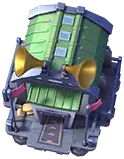 |
Alliance Hall | Tied to the alliance. Affects soldier capacity (per the guide). | Packsify | Not seen |
|
Research Lab | Research. Affects research speed. | Packsify | Not seen |
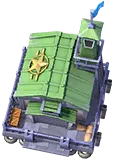 |
Military Center | Military. Affects soldier capacity. | Packsify | Not seen |
|
Rider Camp | Trains Riders | Packsify | Not seen |
|
Ranger Camp | Trains Rangers | Packsify | Not seen |
|
Shielder Camp | Trains Shielders. Level 10 camps unlock troop promotion. | Packsify | Not seen |
|
Hospital | Heals the wounded. An SvS guide mentions a "sidebar hospital on the map". | Packsify | There's an Infirmary for residents. Link not checked. |
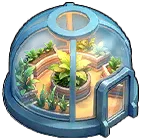 |
Glowtide Garden | Named in the 1.0.3 version notes. Job not found. | App Store | Not seen |
Outside the shelter there's the Wonder, a server structure fought over in war. It unlocks skills at every 25% of construction. There are also sea fortresses held by alliances.
Our research mentioned "generators" early in the game. There's no generator up to chapter 4.
The Lighthouse runs on burning Wood (Cost 4.2/M). Basic production comes from the Fisherman's Hut, Lumber Mill, Oil Plant, and Iron Foundry.
Glowtide Garden / Dawn Island (game files)#
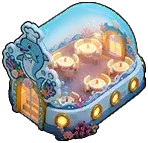
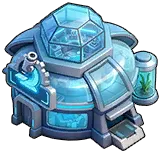
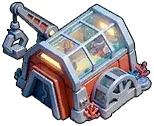
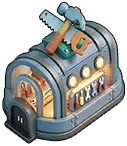
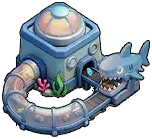
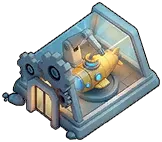
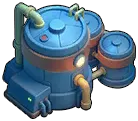
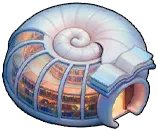
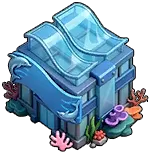
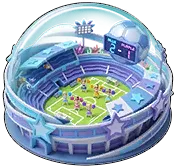
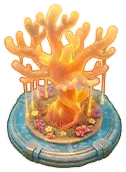
The game files hold a separate set of underwater buildings ("Dawn Island"). Going by the theme (domes, coral, a submarine), it's probably the Glowtide Garden.
The game text says "Hop in the sub—we're heading to the Glowtide Garden". We haven't seen it in game yet.
The captions translate the internal pinyin names (?). All 57 icons: Game gallery#Dawn Island.




Requirements at a glance#
- Confirmed: the building level caps the furniture level (the cap rule).
- Confirmed: Lighthouse upgrades need other buildings at a set level (Lv.5 needs Iron Foundry Lv.4).
- Confirmed: the Lighthouse level caps the level of every other building.
Recommended order#
- At the start, follow the chapter tasks. They give more resources than they cost (confirmed; see Progression).
- Upgrade the Lighthouse whenever you can (researched). In the tutorial, it's the last task of each chapter.
- In each production building: furniture to the cap → building Upgrade → assign residents to the new slots.
- Then build the Alliance Hall, Research Lab, and Military Center (researched).
- Build troop camps to keep training at your highest tier (researched).
Why this order#
- The Lighthouse is the city's "gate" (researched). In game, it gives the most Power per level (+1,800, +2,700, +3,600). It also sets the protected area (Safe Zone).
- Furniture at the cap is what lets you upgrade the building (confirmed). Empty resident slots waste production.
- The Research Lab and Military Center raise research speed and troop capacity. Both count toward CP (combat power) and events (researched).
Costs and resources#
- Confirmed: buildings and furniture cost Wood. Lighthouse Lv.3→4 is the first to ask for Oil (360). Lighthouse Lv.4→5 is the first to ask for Iron (800).
- Confirmed: the Furnace costs Gold, and Finish Now costs Rubies.
- Missing a resource? Tap Go to open the Get More window with the official sources (see Interface and HUD#Get More window).
- Construction speedups exist (Speedups: 1M ×10 in chapter 3). Our research says they score in phases 1, 5, and 6 of the Alliance Duel.
- Construction queues: 1 free. The 2nd one needs a paid pack.
Optimization#
- Start long upgrades before you go offline. Save construction speedups for the Alliance Duel (researched).
- Use Finish Now sparingly (confirmed: about 13 rubies per minute). Speed Up with construction speedups is better, and only as much as you need.
- With only 1 queue, keep it busy at all times. Start long builds before you go offline.
- On iOS version 2.8.0, reaching certain Lighthouse levels sends "red envelopes" (gifts) to your alliance (researched).
Common mistakes#
- Tapping the red − during a build. It cancels the build.
- Upgrading side buildings while the Lighthouse sits still (researched).
- Using old unlock tables. The levels changed in September 2026 (researched).
How to tell it worked#
- The level sign changes and the
Power +Npop-up shows. - The matching chapter task gets a green check in the tracker.
You only get 1 free queue, so never leave it idle. Start your longest build right before you log off.
Open questions#
- [x] The building list and what each one does. 10 buildings confirmed (table above). The late-game ones are still researched.
- [x] Upgrade requirements and costs. Partly answered: levels 1→2, the Lighthouse up to 5, and the Iron Foundry up to 4 seen. Building requirements confirmed.
- [x] Construction queues: 1 free, the 2nd paid.
- [x] Does the Lighthouse cap the level of other buildings? Yes.
- [ ] Infirmary and Tool Shed furniture. (Kitchen: Cooking Table, see Kitchen. Iron Foundry: Forge Table and Furnace.)
- [x] Furniture cap at Lv.4+: Lv.4 → 8, Lv.5 → 10.
- [ ] The unit of the furniture
Time, and the real production rate. - [ ] What is Durability? Hypothesis: resistance to storms.
Related#
- Lighthouse
- Residents
- Resource production and management
- Progression
- Research and technology
- Building list (every building with its icon and official description)
- Furniture
- Resources
Last updated#
Android 1.8.0 (November 18, 2026). The story mode parts were checked in game. The late-game buildings come from external sources.
Last updated:
Discussions
No forum topics about this page yet.
Discuss this page